Get the most out of ScrollShow · 2 of 2 · 4 min read
Analyze any account and see why it works
Ask ScrollShow to analyze any TikTok account and see what is behind its numbers: its rhythm, its best slideshows slide by slide, and what its audience says.
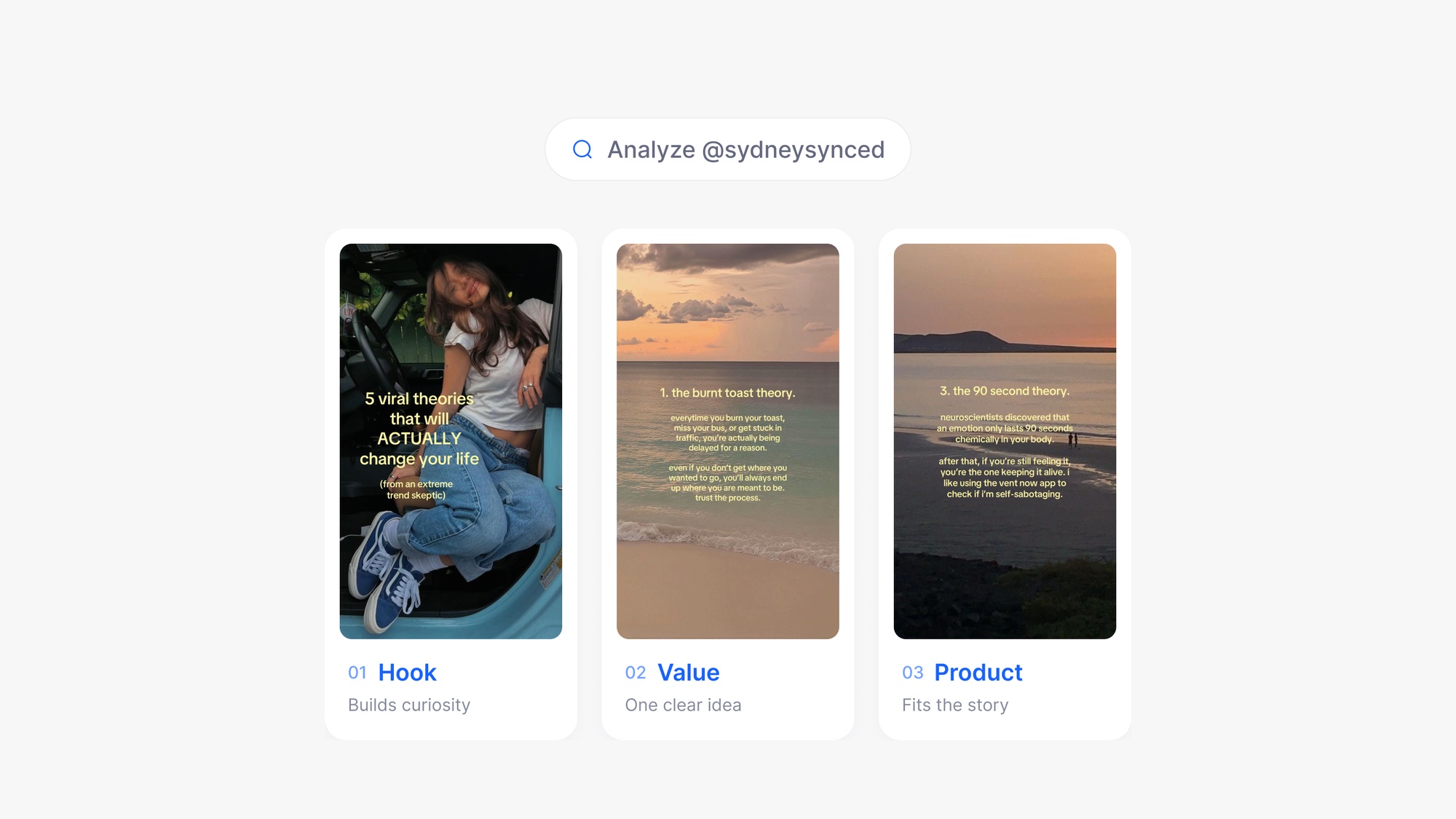
Try it in ScrollShow or your agent
Analyze @handle, download its three best slideshows and tell me what they have in common
Numbers tell you who wins. The slides tell you why.
A search shows you which accounts are winning. An analysis shows you what they actually do: how often they post, which slideshows took off, what those slides say, and what their audience answers back. That is the part you can take with you.
Analyze any account
Ask for it in your own words. It can be an account from a search, one you found scrolling, or a competitor you already know:
"Analyze @handle."
"Analyze the three accounts with the highest typical views from that search."
"Here is a TikTok link, analyze the account behind it."
ScrollShow reads the account's recent posts with its built-in browser and measures them. It takes a few seconds, and the full picture comes back right in the chat.
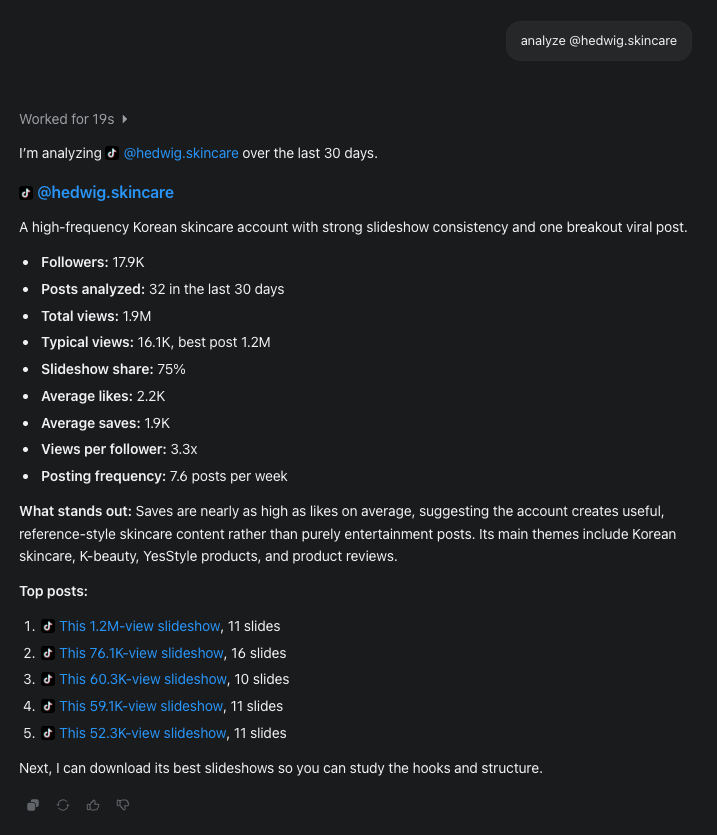
The full picture of an account
You get the account laid out in one place:
Views, likes and saves, in total and per post, with its best post.
How often it posts, so you know the rhythm behind the growth.
How much of it is slideshows, so you know the format is what carries it.
Views per follower, to see how far its posts reach beyond its audience.
What stands out: a short read of what the account does and what it talks about.
Its top posts, ranked, with how many slides each one has.
Saves and shares are worth a second look. Views say a post travelled. Saves and shares say people wanted to keep it or send it on, which is the kind of slideshow worth learning from
ScrollShow sees the slideshows
This is where it clicks. ScrollShow looks at the slides themselves, not just their numbers, and tells you why a slideshow worked. Get the slides in front of it any way you like:
"Download its five best slideshows."
"Download the slideshows with the most saves from this account."
"Here are two TikTok links, download both."
"Download the best slideshow of each account from my last search."
They open right in the chat, slide by slide. Then ask what you would ask a strategist:
"Why did this slideshow work?"
"What kind of hook does it open with, and why does it stop the scroll?"
"On which slide does the value land, and how does it build up to it?"
"Where does it mention the product, and how does it avoid feeling like an ad?"
"Where is the call to action, and what does it ask for?"
"How does it keep people swiping to the last slide?"
Hear what the audience says
The comments under a winning slideshow are a list of what people want. Ask ScrollShow to read them, most liked first:
"Read the comments on its best post. What do people keep asking?"
"What do people disagree with?"
Questions become your next hooks. Objections become slides that answer them.
Turn a winner into your format
One great post can be luck. When the same structure wins again and again, it is a format, and ScrollShow can hand it to you ready to use:
"Break down the structure its winners share: hook, value, product, call to action."
"Write me that structure as a template I can fill in."
"Adapt this format to my app, with three hook ideas."
"Compare how these three accounts bring in their product."
You keep the structure that works and bring your own product and voice to it.
Keep going from there
"Find 10 accounts like this one."
"Analyze its biggest competitor the same way."
With your agent
Everything here works from Claude Code, Codex, Cursor or Claude Desktop And more agents comming like openclaw, hermes, muse etc . Tell your agent to use ScrollShow in the first message of the session, then ask the same things in plain words. Your agent calls ScrollShow, and you see the slides and results in the app while it works.
Try: "Use ScrollShow to analyze @handle, download its three best slideshows and tell me what they have in common."
Tips
Go past the numbers. The why sits in the slides: the hook, the moment the value lands, the call to action.
Study how others sell without selling. Watching where and how a winner brings in its product is the fastest way to learn to promote yours.
Take the angle, not the words. The structure is yours to use. Your product and your voice are what make it yours.
Updated Sep 25, 2026
Questions?