Get the most out of ScrollShow · 1 of 2 · 4 min read
Find the accounts winning in your niche
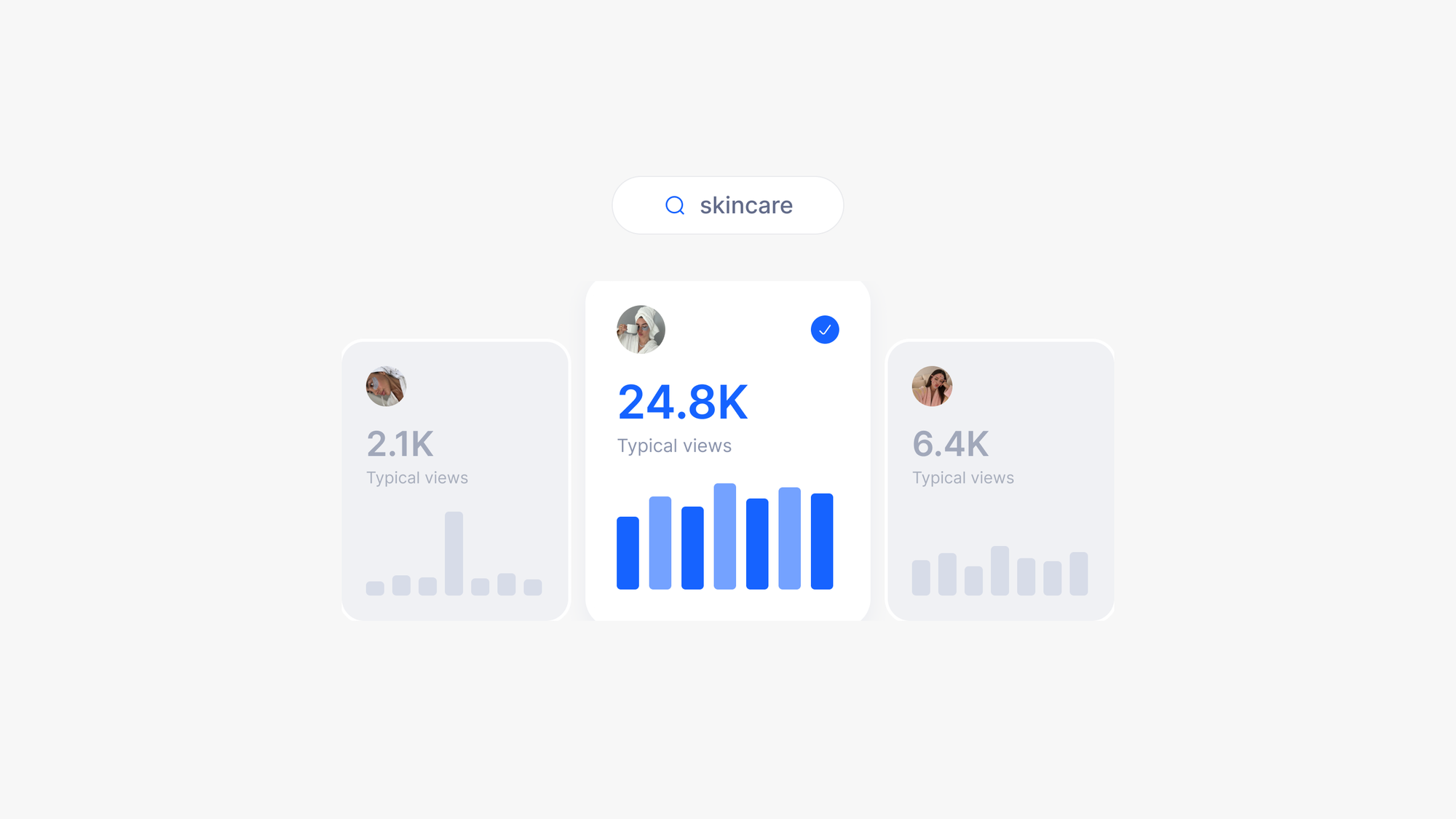
Tell ScrollShow your niche in plain words. In a few minutes you get the TikTok accounts whose slideshows actually get views, measured and saved.
Try it in ScrollShow or your agent
Find 10 slideshow accounts about skincare
Why start with accounts
The fastest way to learn what works on TikTok is to look at who is already winning. One account with a format it repeats again and again, pulling thousands of views every time, teaches you more than a week of guessing: its hooks, its look, how often it posts.
ScrollShow finds those accounts for you and measures every one, so you spend your time on the ones worth it.
Tell it what you are building
ScrollShow searches best when it knows you. Tell it as much or as little as you like, whenever you like:
Your product. Onboarding asks for your app's link so ScrollShow understands it from the start. Skipped it? Paste the link in the chat at any time.
Your niche, your audience, your ideal customer. Anything that describes who you want to reach.
Or just the niche, right in your message. "Find slideshow accounts about skincare" is more than enough.
From there, ask in your own words. ScrollShow works out the searches, runs them and brings back what it finds.
Every account it brings back sharpens your eye for what a winning slideshow looks like, and that taste is what you bring back to your own posts.
While it searches
ScrollShow searches TikTok with its built-in browser and opens every account it comes across. It keeps the ones that mostly post photo slideshows and measures each one. It takes a few minutes, and you can watch every step live in the chat.
Keep working. Close the window if you like: the search carries on from the menu bar.
Pause or stop at any time from the chat.
The more you use TikTok in your niche, the richer your results. ScrollShow searches through your own TikTok account, and TikTok shows it what it already knows you like. Scroll, like and follow in your niche for a few minutes a day, and every search gets sharper.
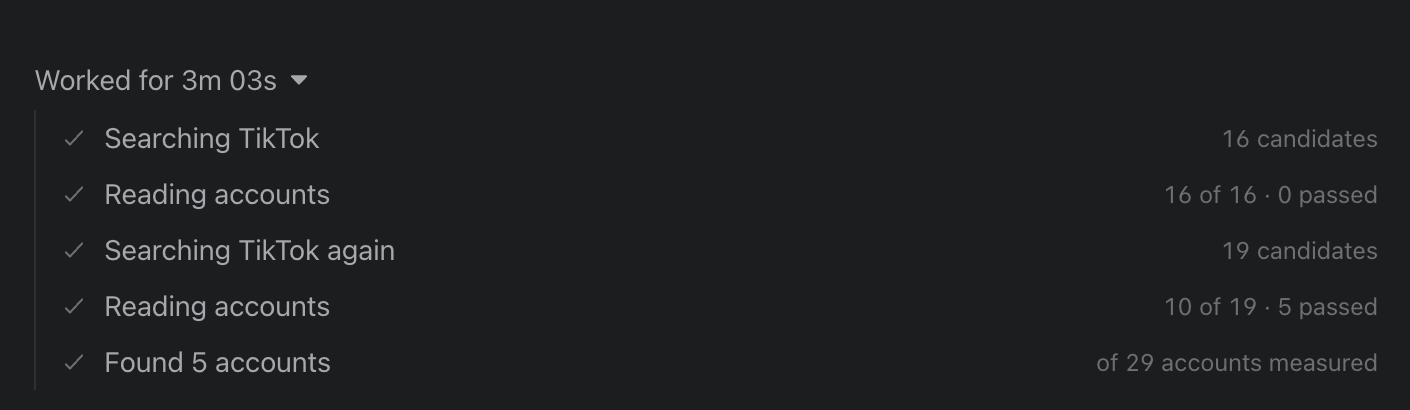
What you get back
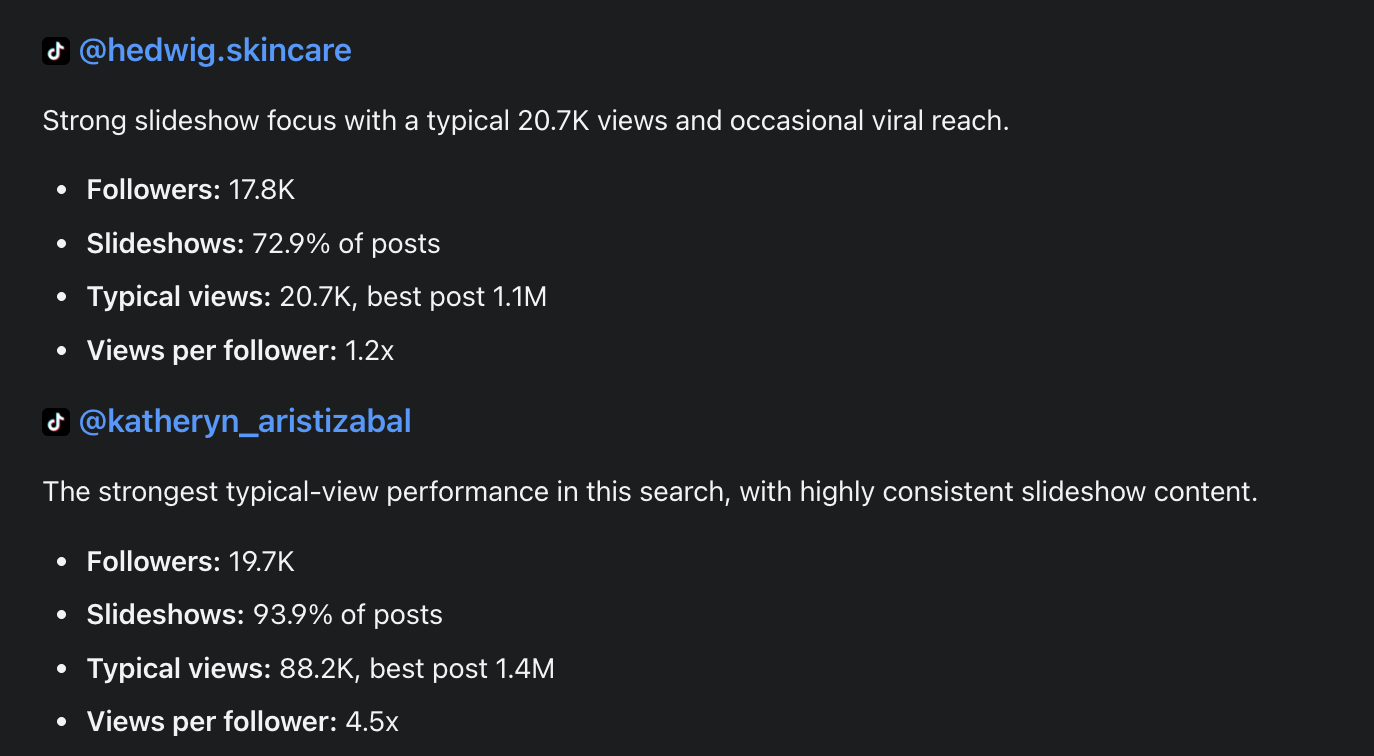
Every account comes back measured:
Followers: how big the audience is.
Slideshows: how much of what it posts is slideshows.
Typical views: the median views per post, so one viral hit cannot hide a quiet account. You also see its best post.
Views per follower: how far its posts travel beyond its own audience. Above 1x, TikTok is pushing it to people who do not follow it yet.
And you can ask for much more about any of them, like:
"How often does it post, and on which days?"
"Show me its five best slideshows."
"Which hooks does it open with?"
"How many slides do its winners have?"
"Which hashtags does it use the most?"
"Is it growing or slowing down?"
What to do with them
There is no single right next step. Keep talking to ScrollShow in the same chat and take it wherever your idea goes:
"Download the top 3 slideshows from the account with the highest typical views."
"Which of these accounts grew the fastest this month? Show me their best posts."
"Find 10 more accounts like the second one."
"Read the comments on their best slideshow and tell me what people keep asking."
"Compare the three smallest accounts and tell me what their hooks have in common."
"Keep the five I like and forget the rest."
Everything you find is saved in your Library, so any of this can wait until tomorrow.
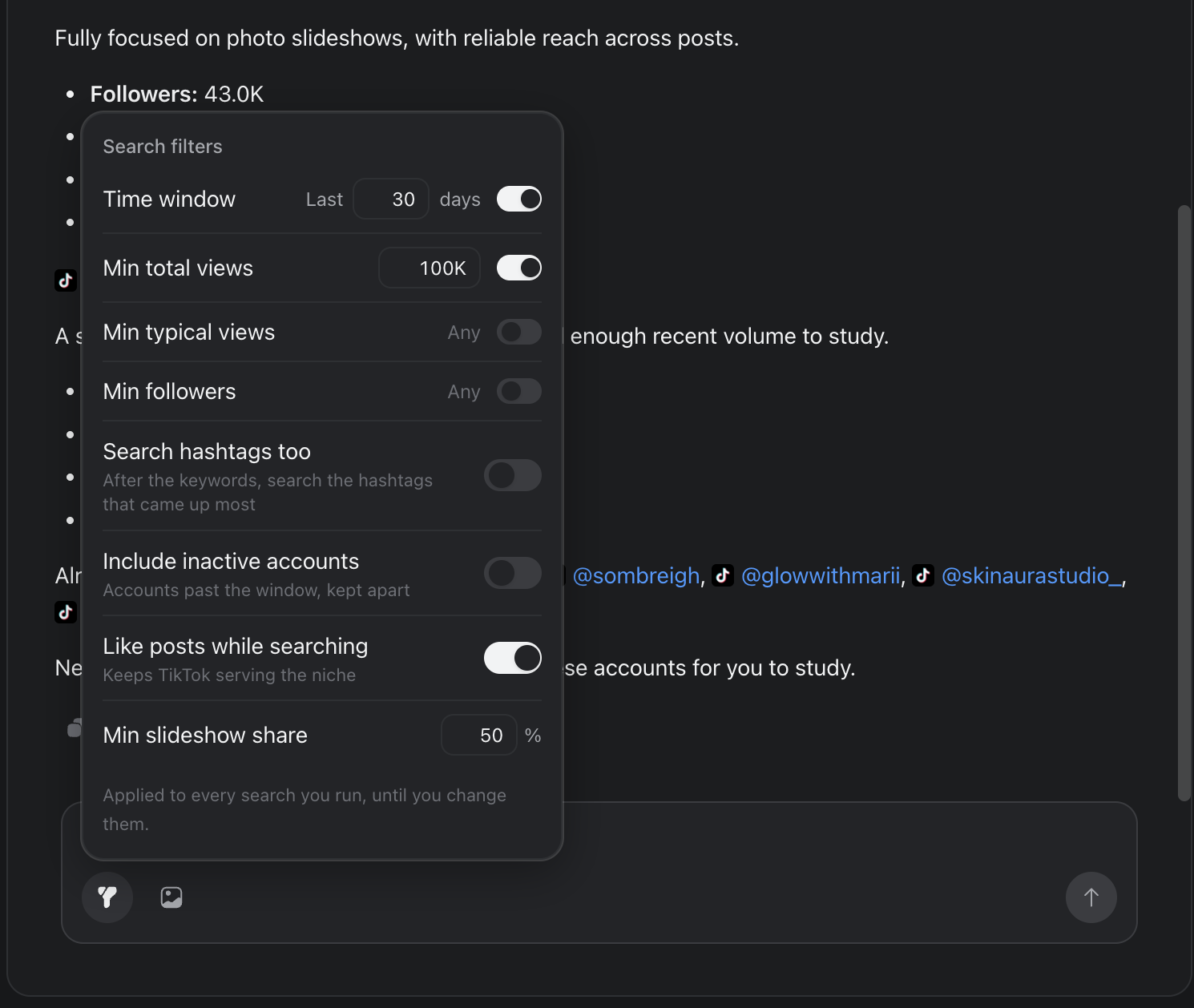
Set your bar with the filters
The filters button next to the message box decides what an account has to clear. Out of the box, an account needs at least 100K total views in the last 30 days, and at least half of its posts must be slideshows.
Too many results? Turn on Min typical views. 10K is a good start.
Too few? Widen the time window to 60 or 90 days, or turn off Min total views.
Only the big players? Turn on Min followers.
Hunting small accounts that are breaking out? Leave followers off and raise Min typical views: you get accounts whose posts travel far beyond their audience.
Studying a niche over a season? Set the window to 90 days to see who stayed consistent.
Want to go deeper? Turn on Search hashtags too. After your keywords, ScrollShow also searches the hashtags that came up most.
You can also say it in your message, like "only accounts with over 50K followers". That applies to that one search, and your filters stay as they are.
Go further
Only new accounts: "Find 10 more and skip the ones I already have."
Start from one you love: "Find accounts like @handle."
Another language or market: "Find slideshow accounts in Spanish about personal finance."
Let it find your niche: paste your product's link and ask "Which accounts should I study for this?"
With your agent
Connected to Claude Code, Codex, Cursor or Claude Desktop? In the first message of the session, tell your agent to use ScrollShow, then ask in plain words. Your agent calls ScrollShow, waits for the search and brings the accounts back into your conversation.
Try: "Use ScrollShow to find 10 slideshow accounts about looksmaxxing and skip the ones I already have."
Tips
Research your niche every month. TitTok slideshows formats are growing new accounts break out all the time.
Results not close enough to your app? Slideshows are still growing, and your niche is probably small. Go one step bigger: you will find far stronger accounts, and plenty of angles you can take from them for your own product.
Open the accounts, not just the numbers. Scrolling a winner's slideshows for two minutes teaches you more than any metric.
Found a winner? The next step is to open it up and see exactly why it works.
Updated Sep 25, 2026
Questions?