Make a slideshow
Found a format that works? Ask your agent to make your version. It writes the slides, finds the photos, lays them out and checks every slide before you see it.
Start from what works
The slideshow most worth making is one that already went viral in your niche. Once you find an account with a format that repeats, your agent can make it again for your app, or mix ideas from several accounts into one. It reads your whole Library: every post and every account, each with its numbers. So it makes slideshows from what already works, and you skip guessing what will.
Ask your agent
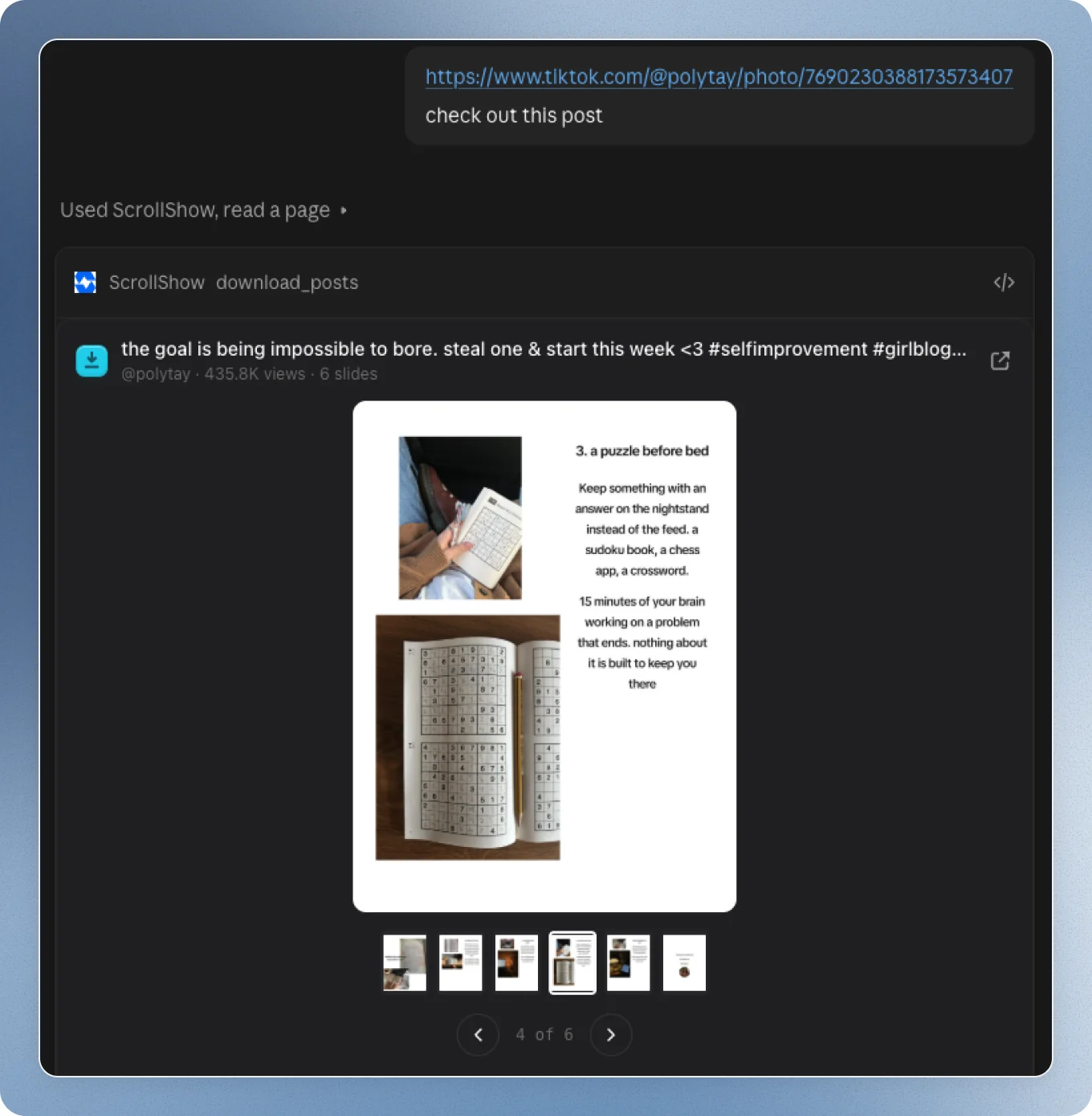
Open Claude, or any agent you connected, and say what you want. It learns from everything in your Library and anything you tell it, and makes slideshows from it in seconds. Name a post, an account or a collection:
It makes it for you
Your agent reads the post slide by slide, then makes your version:
- The same structure: the hook first, then the same number of slides and the same layout.
- Your words: the copy is written for your app, not theirs.
- Real photos from one world, each one framed on what its slide is about.
- The same look: fonts, colours, text boxes and photo style close to the original.
- Clean for TikTok: no text under TikTok’s buttons or over a face.
Before you see it, it looks at every slide and fixes what’s off. Then it answers with a card: every slide, and Open in the editor.
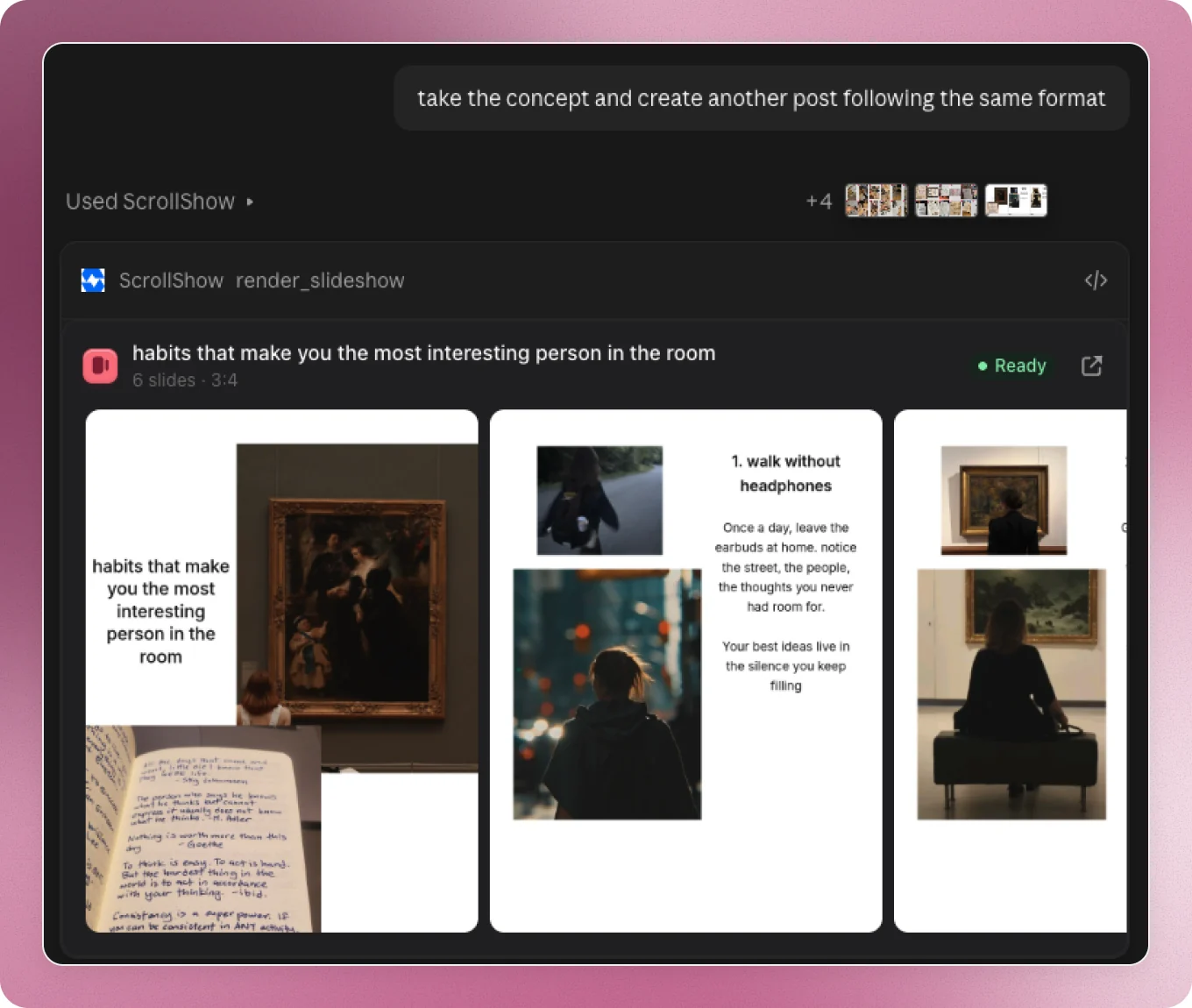
Any style you see
Any style, any format you see on TikTok, your agent makes for your app. So you can post as much as you want, every day.
Change anything
Just say it:
Or press Open in the editor on the card and change it by hand. See Edit any slide.
Post it
In the editor, press Export, then Download. Every slide comes down as an image at 1080 × 1920, the size TikTok shows best. Post them on TikTok as a photo slideshow.
All in one place
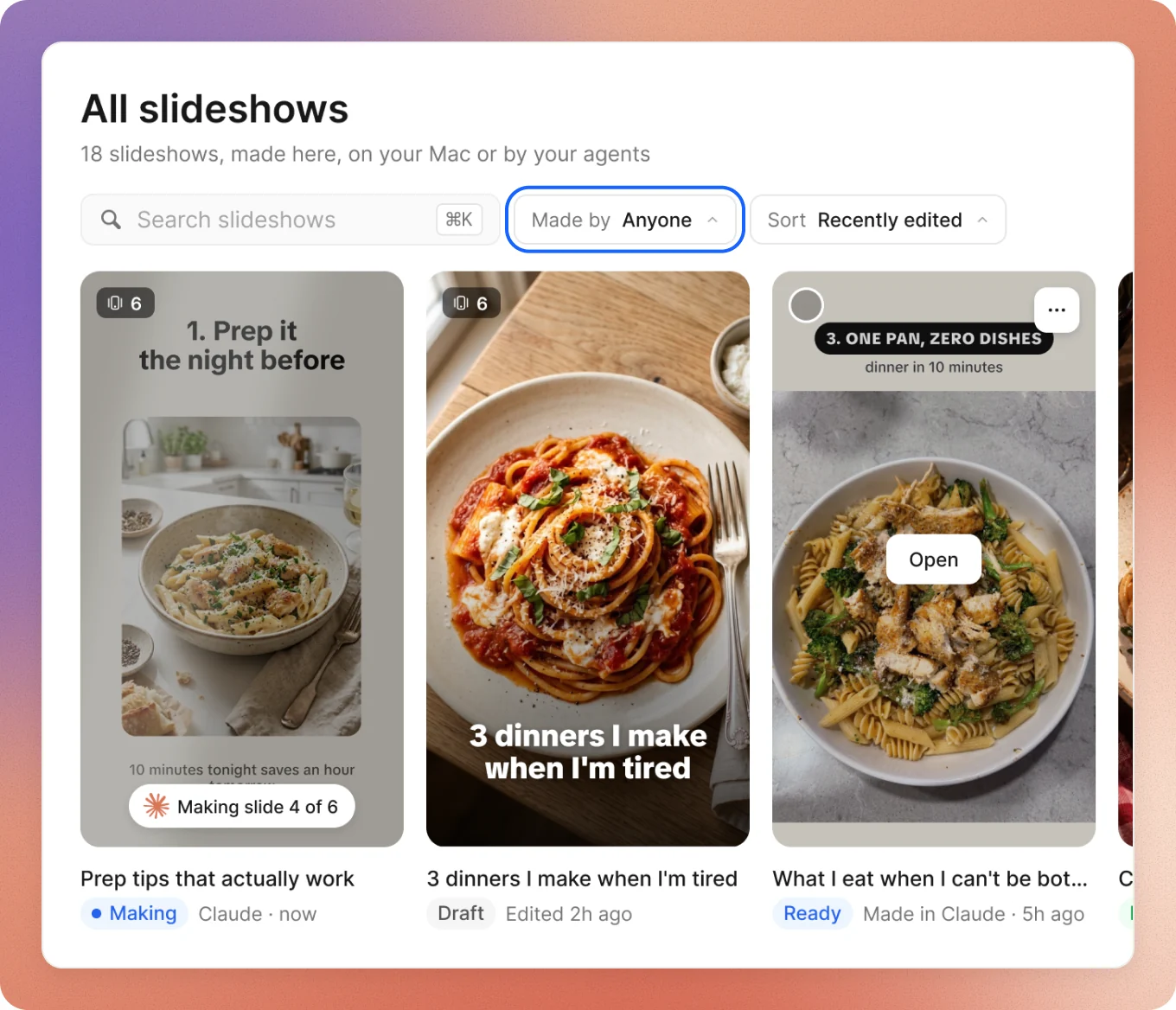
Everything you and your agent make lands in Make, in ScrollShow. Search slideshows, filter by Made by, or open any one’s menu to rename, duplicate, export or add it to a collection.
Good to keep in mind
- Your agent already knows your app from ScrollShow, so every slideshow is made for it. No need to explain it.
- Want it all done for you? Ask for several at once. Your agent makes and fixes them by itself, so you never need to open the editor.