 Study it · 2 min
Study any account or post
Ask your agent about any account or post, and it does the reading for you: every number, its best posts and why they worked, in seconds.
Ask for its numbers
Name the account and ask. Your agent, or the ScrollShow assistant, reads it from TikTok and puts every number in front of you.
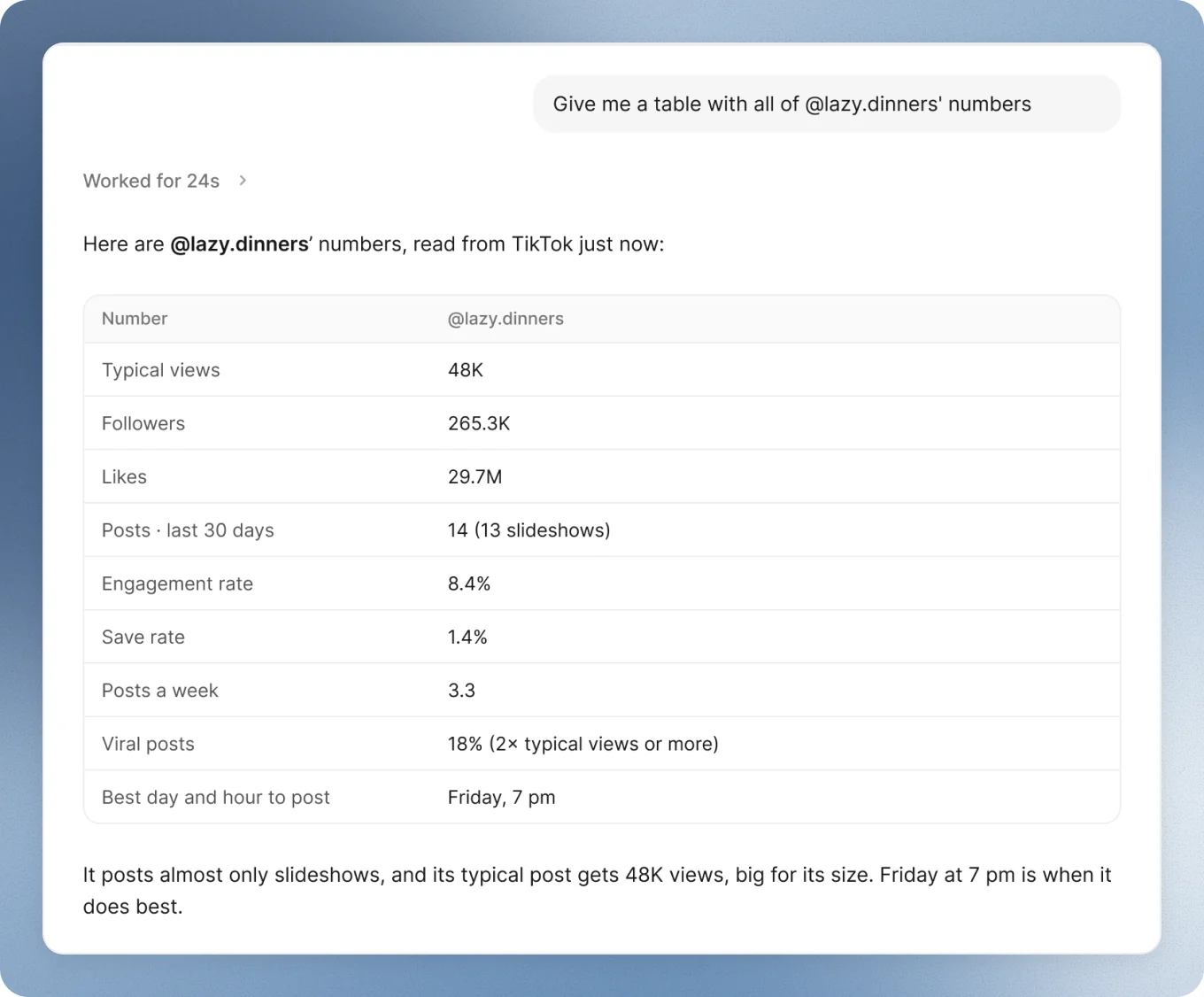
Typical views beats followers. A small account with big typical views is the one to study.
See what made it
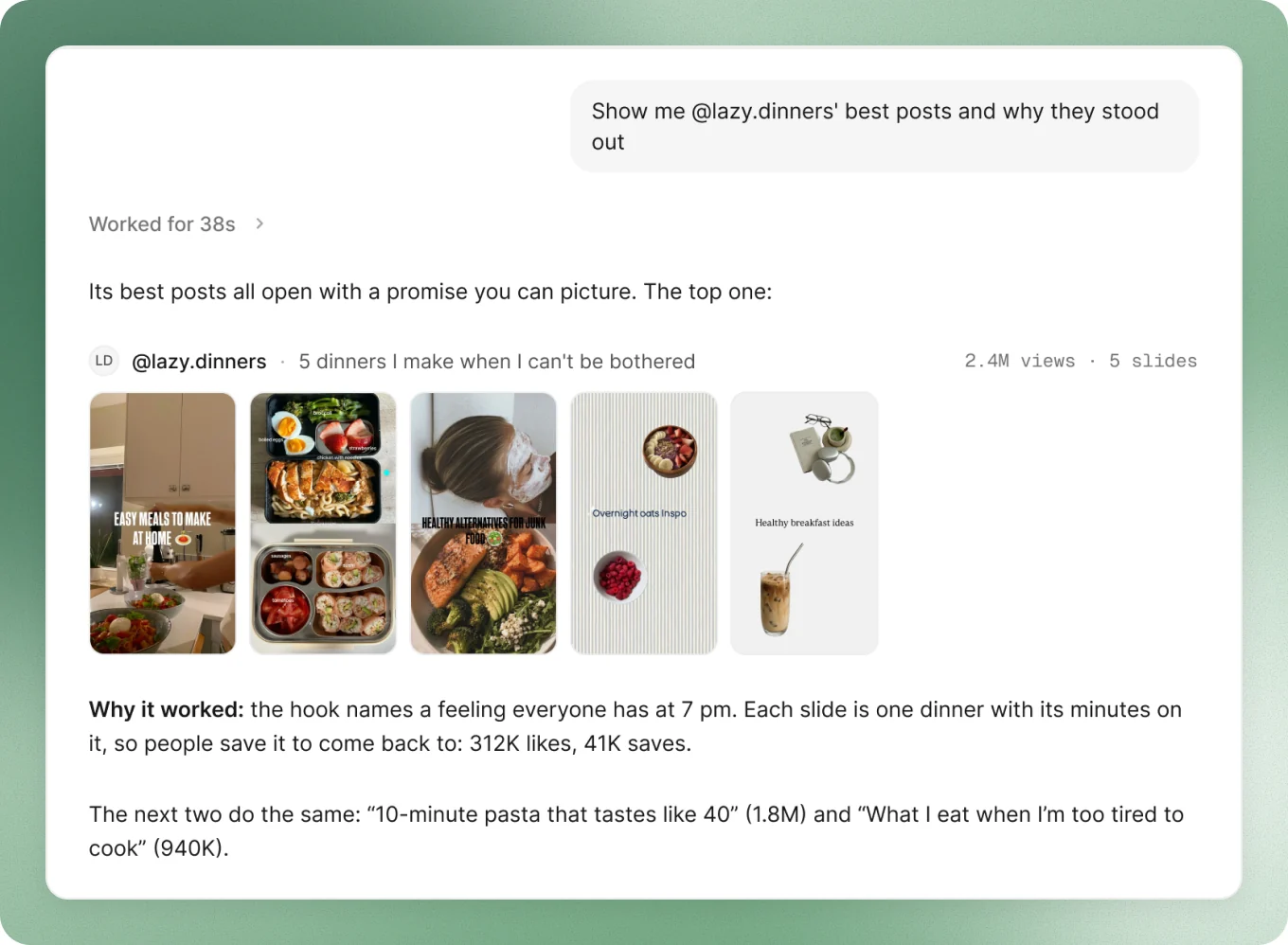
Ask for its best posts and why they stood out. You get the posts themselves, with their slides, and what each one did right.
Read any post
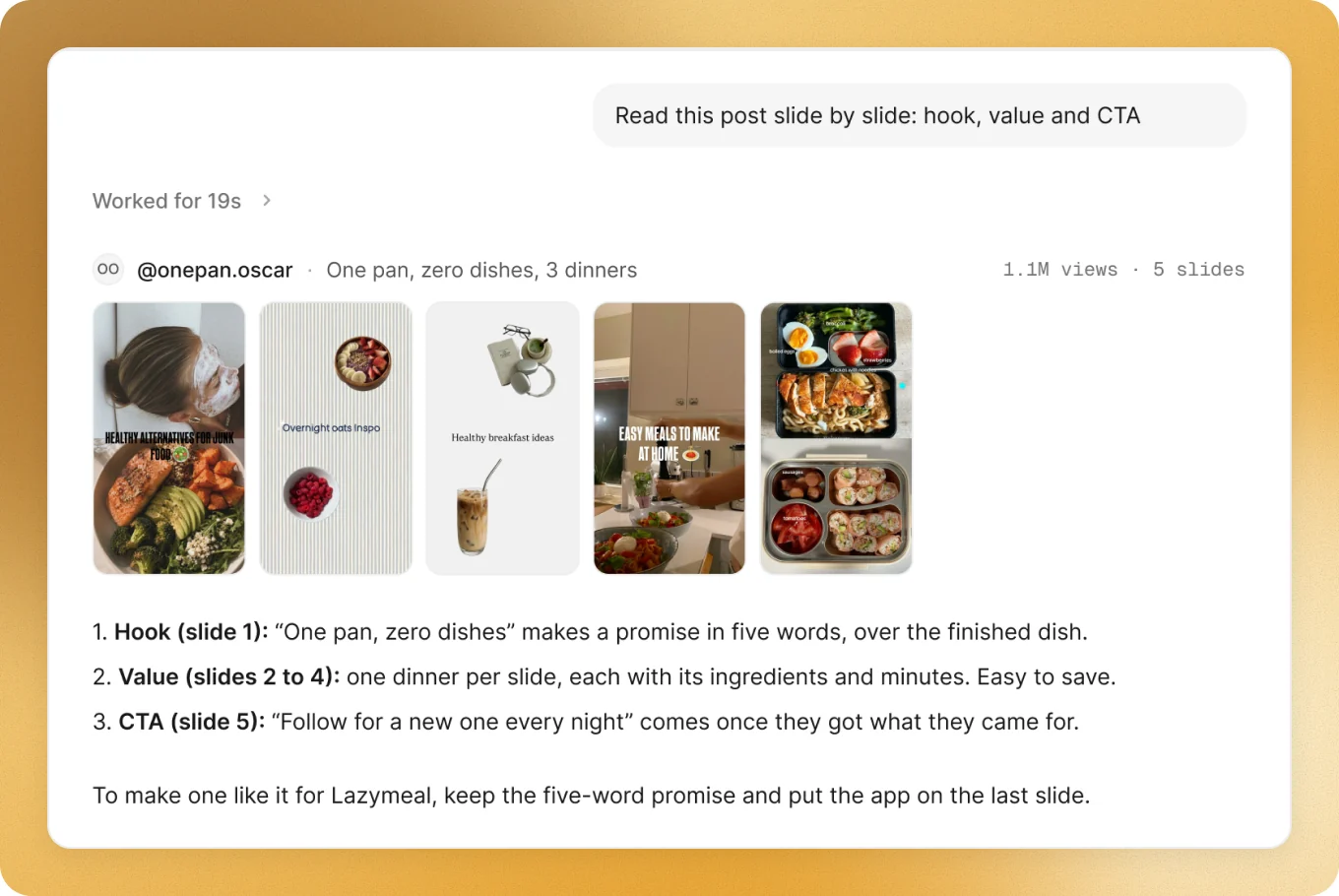
Paste a post’s link, or point at one it just showed you. It reads every slide and tells you the hook, the value and the CTA, so you know what to make.
Keep asking
One answer leads to the next. A few to try:
It works the same with your agent (Claude, ChatGPT, Codex, Cursor and more) or the ScrollShow assistant.
Also there when you want it
- Numbers on TikTok: browse TikTok in the Mac app, and every post shows how it did against the account’s usual, its engagement and its saves.
- The account’s page: its numbers, Activity and 10 best posts on one page. See Your Library.
- The post viewer: click any post to read its slides, numbers and comments.