 Find what works · 2 min
Tune your search
Decide what a search keeps before it starts, or change it while it runs. Both take a few seconds.
Set your filters
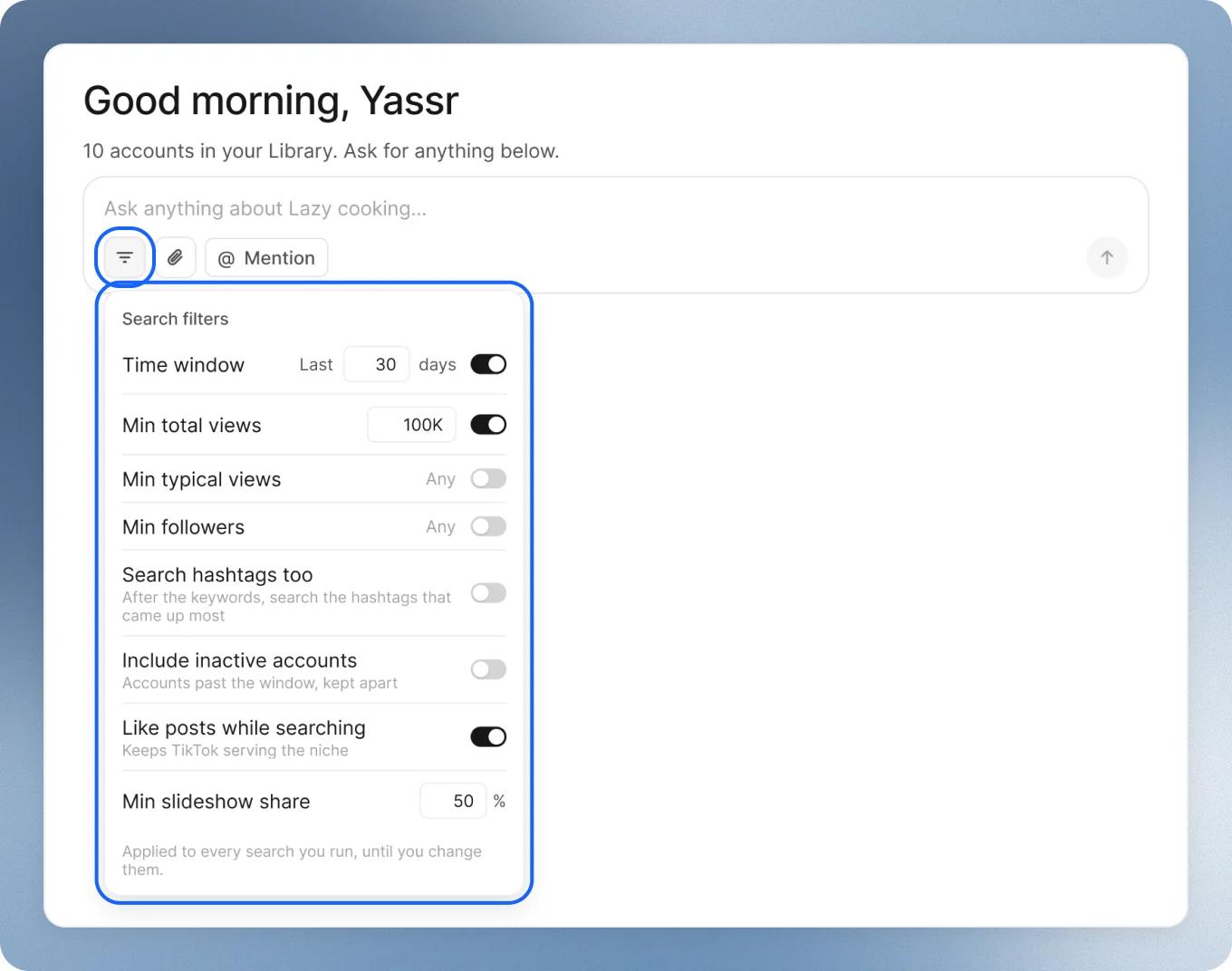
Press the filters button in the box where you type. Search filters opens:
- Time window: how far back the views count. 30 days to start with, or All time.
- Min total views: what the account’s posts add up to in that time. 100K to start with.
- Min typical views and Min followers: off to start with. Turn them on to raise the bar.
- Min slideshow share: how many of its posts are slideshows. Half, to start with.
- Search hashtags too, Include inactive accounts and Like posts while searching: small extras. The last one is on, so TikTok keeps showing it your niche.
The defaults work best. Need something different? Just say it in the chat, like “only accounts over 10K followers”. No need to set anything up.
They apply to every search you run, until you change them. A dot on the button means something differs from the start.
Change it while it runs
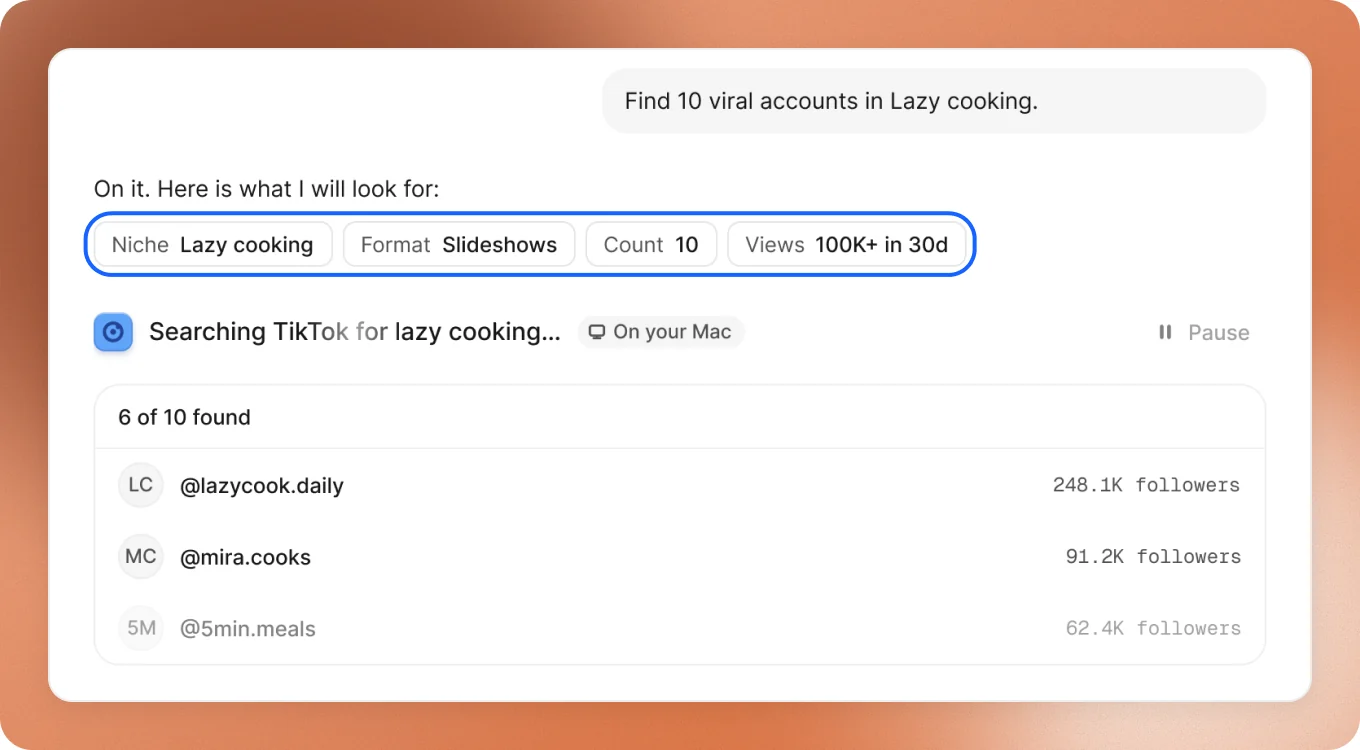
A search shows what it’s looking for as chips. Press one to change it, and the search keeps going:
- Niche: add something else to search.
- Format: slideshows only, or any format.
- Count: 10, 20, 40 or 100 accounts.
- Followers and Views: a new minimum.
Or just say it in the chat, in your words:
Good to keep in mind
- Taking a while? Few accounts may reach those numbers in your niche. Lower Views while it runs.
- Too many accounts that aren’t really your niche? Raise Min slideshow share, or ask for a narrower part of your niche.